
Do Your AI Agents Talk to Each Other?
Do Your AI Agents Talk to Each Other?
You probably didn’t set out to build an “AI Agent Stack.” It happened one tool at a time: a Chatbot for customer questions, an AI Assistant that schedules appointments, something that answers questions about your sales numbers, another that helps your sales team follow up on leads. Each one solved a real problem. None of them were planned as a system.
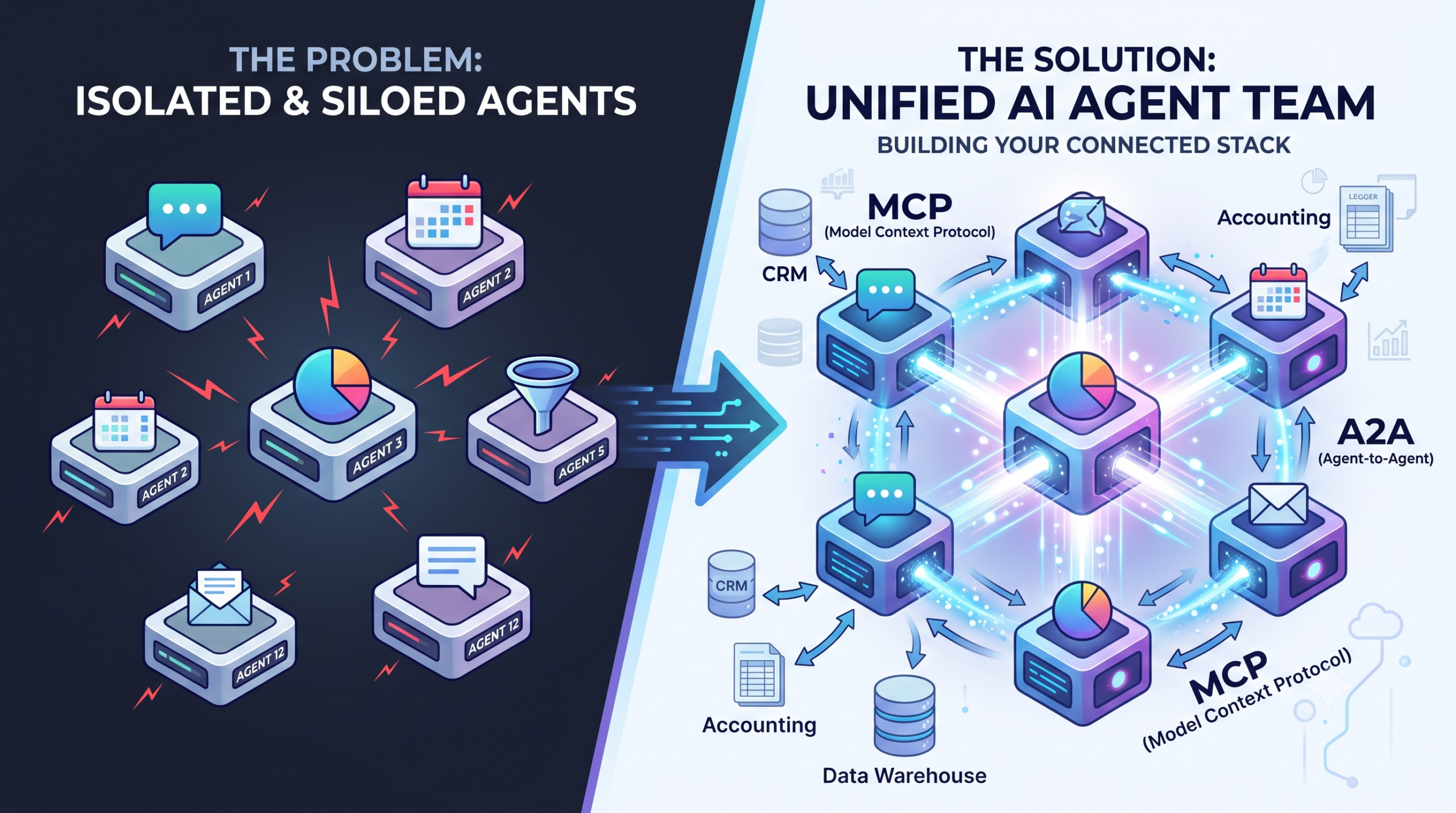
That’s the norm now, not the exception. According to Salesforce’s 2026 Connectivity Benchmark Report, the average company already runs 12 AI agents, and that number is expected to hit 20 by 2027. Here’s the part that should catch our attention: roughly half of those agents can’t share information with anything else you use. Each one works alone, in its own little silo.
That’s not just a minor inconvenience. It’s the same problem we’ve written about before: data scattered across a spreadsheet here, a CRM there, a project tool somewhere else, just one level up. As we covered in Drowning in Data? How AI Agents Unify Business Intelligence in 2026, the challenge has been unifying your information. Now, it’s unifying your agents.
The good news is there’s a way to fix this, and it’s becoming an industry standard rather than something one company controls.
Two Jobs, Made Simple
Think of it this way. Every AI agent needs to do two things:
- Reach into your business tools to get information or take action, such as checking your inventory, pulling a number from your accounting system, or looking something up in your data warehouse.
- Hand work off to another agent when a task isn’t its job to finish.
The industry has settled on one common way to do each of these, and both are open standards rather than something owned by a single tech company. That matters, because it means you’re not locked into one vendor to make this work.
- The connection between an agent and your business tools is often called MCP, short for Model Context Protocol. This is what lets an agent actually reach into your accounting software, CRM, or data warehouse and pull a real answer instead of guessing. It’s also the same idea behind the Internal AI Agents for Slack or Microsoft Teams setup we’ve written about, where one assistant is connected to all your business tools at once.
- The connection between one agent and another is often called A2A, short for Agent-to-Agent. This is what lets, say, your reporting agent tell your sales agent “hey, this account needs a follow-up,” automatically and without a person relaying the message.
A simple way to remember it: one connection lets an agent use your tools. The other lets your agents talk to each other.
What This Looks Like in Practice
Imagine your business keeps its numbers (sales, inventory, customer activity) in a data warehouse, the kind of centralized database many small businesses now use to store information pulled in from different apps.
An agent connected to that warehouse can already answer a plain English question like “which customers haven’t ordered in 60 days?” without anyone writing a report by hand.
Here’s where it gets useful, without agents talking to each other, that answer just sits in a chat window. Someone still has to copy it, decide what to do, and go tell the sales team. With agent-to-agent communication turned on, that same insight can automatically become a task for your sales agent, updating your CRM and drafting a follow-up email much like the workflows we described in How AI Chatbots Automate Customer Interactions, or get posted straight into your team’s Slack or Teams channel where the right person actually sees it.
That’s the real difference between an AI tool that just answers questions and a set of tools that actually get things done together.
A Few Things to Ask Before You Turn This On
You don’t need to become a technical expert to have this conversation with whoever manages your tools, whether that’s a developer, an IT consultant, or a vendor like us. But a few questions are worth asking upfront:
- Who can see what? A single question to your data warehouse can pull back a lot of sensitive information at once, including customer details and financial numbers. Make sure whoever sets this up limits what each agent is allowed to see, not just what it’s allowed to do.
- Which agents should be allowed to talk to which? Just because two agents can connect doesn’t mean they should. Your billing agent probably doesn’t need to talk to your marketing agent.
- Can I still swap tools later? Because this is built on open, shared standards rather than one company’s private system, you shouldn’t have to rebuild everything if you switch CRMs or add a new tool down the road.
Why This Reinforces What We’ve Always Recommended
As the number of AI agents in a typical small business grows, the connections between them start to matter more than any single tool’s brand name. A setup built on these open standards can mix and match different AI models and vendors based on what works best for each job, without a full rebuild every time you change something. That’s the same advice behind Why Being LLM Agnostic Is the Smart Move for AI Chatbots: don’t lock yourself into one vendor.
Where to Start
You almost certainly don’t need to connect all 12 of your agents at once. A good first step is picking your two most disconnected tools, often something that reports on your numbers and something that talks to customers, and getting just those two working together. Once that’s proven out, expand from there.
The businesses that get ahead here won’t be the ones with the most AI tools. They’ll be the ones whose tools actually work as a team.